
Managed Cloud Services

Microsoft Azure Services

Design, migration, hosting and ongoing management of secure, scalable Microsoft Azure infrastructure.

Prefer to talk? Call 020 4634 2518 · Rated 5.0 on Google · UK-wide coverage

Request a callbackWe respond the same working day.

Please complete the reCAPTCHA to continue.

Customer satisfaction
100%
Years of combined experience
35+
Average first response
9 min

Overview

Azure infrastructure, managed for you

Microsoft Azure gives you scalable, pay-as-you-go infrastructure, but it needs designing, securing and managing to deliver value without runaway cost.

WhizzIT designs, migrates and manages your Azure environment end to end, keeping it secure, optimised and aligned to what your business actually needs.

Azure environments are designed, deployed and then managed on an ongoing basis, including cost review, because unmanaged cloud spend climbs quietly. Everything runs through the same UK service desk that handles your day-to-day tickets, so there is no separate team to chase. Across 2025 our average first response time was 9 minutes and our average resolution time was 6 hours, measured across every ticket we handled. We are a team of five engineers supporting more than 30 UK businesses, from two-user teams to organisations of 150+ users. WhizzIT is Cyber Essentials certified and a Microsoft Cloud Solution Provider, so our security fundamentals are independently assessed rather than simply claimed.
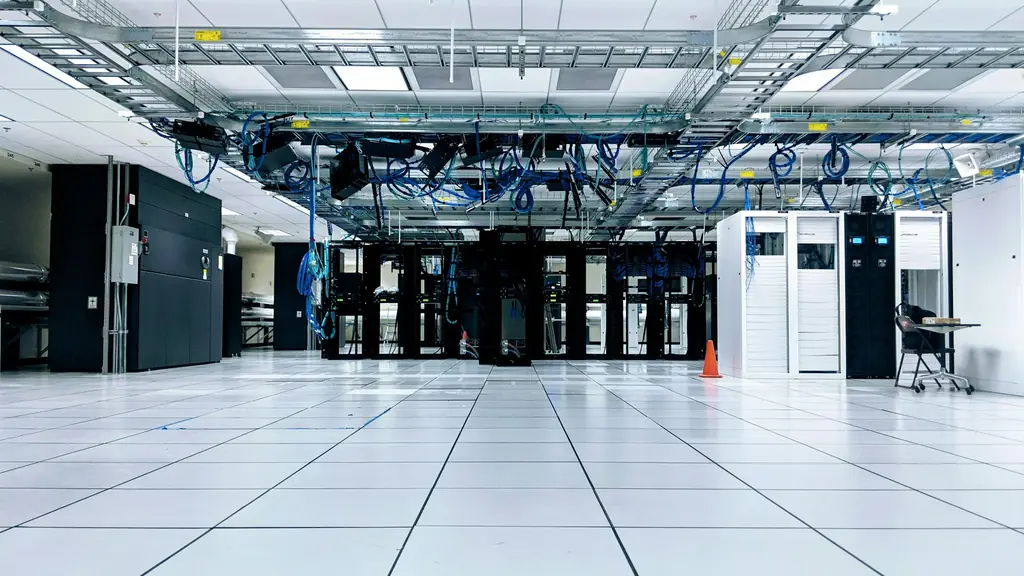
Spacious data centre hall with server cabinets and overhead blue network cabling

Managed Cloud ServicesMicrosoft Azure

What’s included

  • Azure architecture and deployment
  • Secure identity and access configuration
  • Virtual machines, storage and networking
  • Cost monitoring and optimisation
  • Backup and disaster recovery
  • Ongoing monitoring and management

Cost control

Why Azure bills surprise people

Azure is pay as you go, which sounds reassuring until the first bill arrives that nobody can explain. It is almost never one big mistake. It is a dozen small ones nobody owned.

Where the money usually leaks

  • Virtual machines sized for a worst case that never arrives
  • Dev and test environments running outside working hours
  • Orphaned disks, snapshots and public IP addresses
  • Pay as you go rates on permanently running workloads
  • No tagging, so no accountability for spend
  • Data egress nobody budgeted for
  1. Machines nobody revisited

    Virtual machines get sized generously during a project and never revisited, so you pay for headroom you have never touched. Test environments spin up on a Tuesday and run all weekend because switching them off was somebody’s job in principle.

  2. Orphans and missing tags

    Disks and public IP addresses outlive the machines they belonged to and keep billing quietly on their own. Nothing is tagged, so when the bill goes up nobody can say which project or department caused it.

  3. The wrong pricing model

    Running everything at pay as you go rates when the workload is clearly permanent is the most common overspend we find. Reservations and savings plans exist precisely for predictable workloads, and applying them properly is often the single biggest reduction available without changing a thing technically.

  4. It just needs looking at

    None of this needs heroics. It needs somebody looking every month, which is what management means in practice rather than in a brochure.

What we run

The five things we actually do in Azure

This is the work we get asked for, so it is the work the page is about.

  1. Migration

    Moving servers and workloads off ageing on-premise hardware. Some things lift and shift unchanged, others are better re-platformed on the way across, and a few are genuinely better left where they are. We will tell you which is which rather than moving everything because it is billable.

  2. Management and cost

    Monitoring, patching, backups verified, capacity reviewed and spend examined every month. Right-sizing, reservations and switching off what nobody is using. This is the part that decides whether Azure saves you money or quietly costs more than the servers did.

  3. Security

    Identity first, because in Azure identity is the perimeter. Conditional access, multi-factor authentication, privileged access controlled rather than permanent, network segmentation, and alerting that reaches a human. We are Cyber Essentials Certified and apply the same standards here.

  4. Backup and recovery

    Backups configured, retained to a period you have actually chosen, held so ransomware cannot reach them, and tested by restoring rather than by looking at a green tick. Recovery objectives agreed per workload up front.

  5. Virtual desktops

    Azure Virtual Desktop where it genuinely fits, which is more often than people expect and less often than the marketing suggests. See below for the honest version.

  6. Ongoing advice

    As a Microsoft Cloud Solution Provider your licensing, support and escalation come direct from us rather than through a reseller chain, so when something needs Microsoft it goes to Microsoft.

Azure Virtual Desktop

Virtual desktops, honestly

Azure Virtual Desktop earns its place in specific situations, and it is worth being clear about which. It is excellent when you need people working on company systems from equipment you do not control, so contractors, offshore teams, personal machines and anyone using their own laptop. It keeps the data in Azure rather than on the endpoint, which is a genuine security win. It suits a legacy application that refuses to behave on modern desktops. It is also the fastest way to onboard twenty people at once without waiting on hardware.

01 / 03

It is excellent when you need people working on company systems from equipment you do not control, so contractors, offshore teams, personal machines and anyone using their own laptop. It keeps the data in Azure rather than on the endpoint. It also suits a legacy application that refuses to behave on modern desktops, and it is the fastest way to onboard twenty people without waiting on hardware.

Certified & accredited

Credentials you can check

  • Cyber Essentials certified

    Cyber Essentials certified

    Independently assessed against the UK government-backed scheme, so our security fundamentals are verified rather than simply claimed. We help clients certify too. How Cyber Essentials helps you
  • Microsoft Cloud Solution Provider

    Microsoft Cloud Solution Provider

    A direct partnership with Microsoft. We license, deploy and support Microsoft 365 and Azure for you, with escalation straight to Microsoft when it is needed. Our Microsoft cloud services

Cyber Essentials is a UK government scheme run by the National Cyber Security Centre, delivered by IASME. You can verify what the certification covers at source.

Ready when you are

Tell us what is slowing your team down

Describe the problem in a sentence. We’ll respond the same working day, with no obligation.

WhizzIT are always on hand to support my construction company. Being able to simply pick up the phone and receive great IT support is essential.

Gary Hufford, Owner, GH Building & Landscaping

How we help

What we deliver

  1. Design & migration

    We plan and deliver your move to Azure, with the right architecture from day one.

  2. Security & identity

    We secure your environment with best-practice identity, access and network controls.

  3. Manage & optimise

    We monitor, patch and optimise continuously, keeping performance up and cost down.

Good to know

Frequently asked questions

Not covered here? Ask us directly — same working day response.

020 4634 2518
Do you manage Microsoft Azure?

Yes. We design, migrate, secure, back up and manage Azure environments, and we run Azure Virtual Desktop where it fits. As a Microsoft Cloud Solution Provider the licensing and support come direct from us, so escalation goes straight to Microsoft rather than through a reseller.

Can you actually control Azure costs?

Yes, and it is usually the quickest win available. Right-sizing machines that were sized for a worst case, shutting down test environments out of hours, removing orphaned disks and IP addresses, and applying reservations or savings plans to workloads that clearly run permanently. Then tagging everything so the next bill can be explained without a forensic exercise.

Is Azure cheaper than our own servers?

Not automatically, and anyone who promises that without looking at your workloads is guessing. Azure wins clearly on variable demand, disaster recovery, avoiding a large hardware purchase, and anything you need to scale quickly. A steady predictable workload can cost more in Azure if it is left on pay as you go rates and never reviewed. The honest answer comes from modelling your actual usage.

Can you migrate our servers to Azure?

Yes, from a single workload up to your whole estate. Some servers move unchanged, some are better rebuilt on the way over, and occasionally the right answer is that something stays where it is for now. We work that out during discovery rather than moving everything and sorting it out later.

Is Azure Virtual Desktop right for us?

It depends on the problem you are solving. It is strong for unmanaged or personal devices, contractors, keeping data off endpoints, awkward legacy applications and onboarding quickly. It is weaker as a straight cost saving against buying laptops, because session hosts bill while they run. If you already have Business Premium or Windows E3 or E5 the desktop entitlement is usually included, which changes the maths considerably.

How do you secure an Azure environment?

Starting with identity, because that is the real perimeter. Multi-factor authentication enforced, conditional access, administrative rights granted temporarily rather than held permanently, and network segmentation so one compromised machine cannot reach everything. Then monitoring that produces a ticket a person picks up, and backups an attacker cannot reach.

Technology partners

Brands we partner with

We hold partner status with the vendors behind the tools we deploy, so your licensing, support and escalation come direct from the source rather than through a reseller chain.


  • Fortinet Authorized Partner
  • Dell Technologies Authorized Partner
  • NinjaOne partner
  • Pax8 partner
  • Acronis partner