

Network Management
Business Wi-Fi & Wireless Networks
Fast, secure, seamless wireless across every corner of your premises, designed, installed and managed so your team and guests just connect and get on with work.
Prefer to talk? Call 020 4634 2518 · Rated 5.0 on Google · UK-wide coverage
Got it, thank you. Your callback request is with the team. We’ll respond the same working day. Need it sorted sooner? Call 020 4634 2518
- Customer satisfaction
- 100%
- Years of combined experience
- 35+
- Average first response
- 9 min
Overview
Wireless that just works, everywhere
Patchy Wi-Fi, dead spots and a network everyone shares with guests are more than an annoyance, they cost time and create security risk.
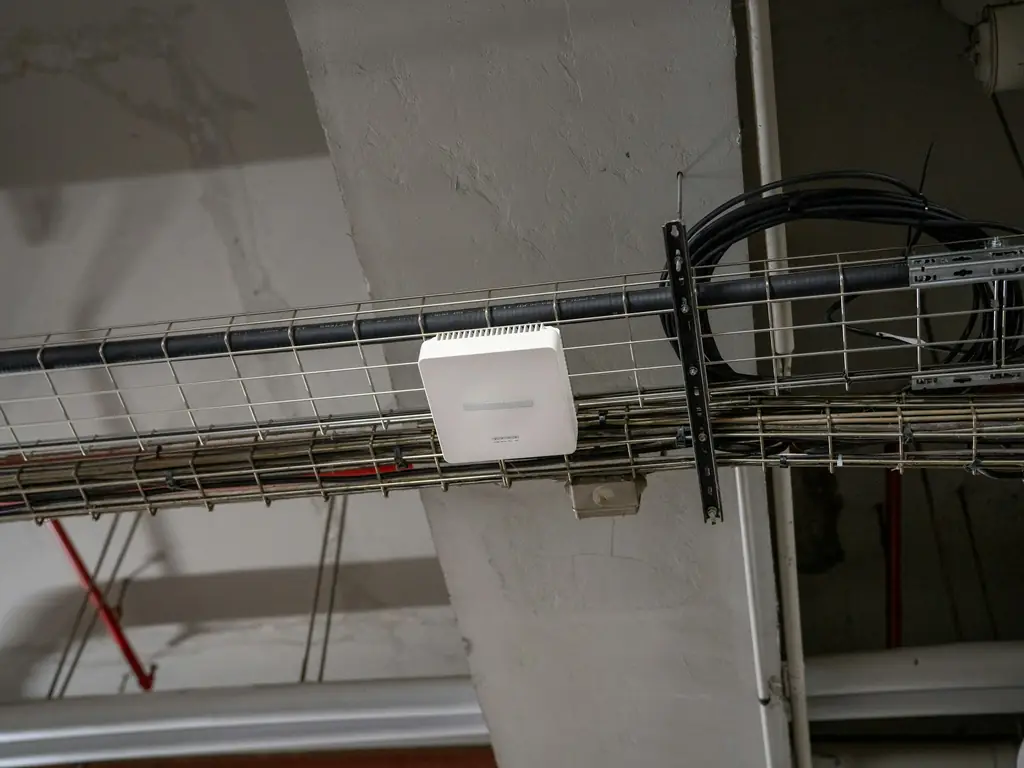
WhizzIT designs wireless around your actual building and how you work: a proper site survey, business-grade access points, separate secure networks for staff and guests, and seamless roaming so devices stay connected as people move around.
Wireless is designed from a site survey of your actual building rather than a floor plan, then monitored once it is live so degradation is spotted before people complain. Across 2025 our average first response time was 9 minutes and our average resolution time was 6 hours, measured across every ticket we handled. We are a team of five engineers supporting more than 30 UK businesses, from two-user teams to organisations of 150+ users. WhizzIT is Cyber Essentials certified and a Microsoft Cloud Solution Provider, so our security fundamentals are independently assessed rather than simply claimed.
Network ManagementBusiness Wi-Fi & Wireless
What’s included
- Wireless site survey and coverage design
- Business-grade access points and controllers
- Separate, secured staff and guest networks
- Seamless roaming across access points
- Bandwidth and capacity planning
- Monitoring, management and support

Why coverage maps mislead
Full signal bars and unusable Wi-Fi are compatible
A device showing four bars is reporting how loudly it can hear the access point, not whether it can hold a usable conversation with it. Most complaints about bad Wi-Fi come from environments with plenty of signal and too much interference, too many clients per radio, or access points shouting over each other.
-
01
Buildings defeat assumptions
Plasterboard is nearly transparent to Wi-Fi; concrete, foil-backed insulation, plant rooms, lift shafts and metal racking are not. Older buildings with thick walls and modern buildings with foil-lined insulation both cause problems, for opposite reasons. This is why a survey in the actual building beats a plan drawn from a floor plan.
-
02
More access points is a common way to make it worse
Adding units to fix a dead spot frequently degrades the whole floor, because neighbouring access points on overlapping channels interfere with each other. Correct channel planning and turning power down rather than up is usually what fixes a struggling network. Density needs designing, not increasing.
-
03
Guests, staff and devices should not share a network
A single shared network means a guest laptop sits alongside your file server and your card terminal. Separate networks for staff, guests and equipment such as printers, cameras and building systems keeps a compromised or simply infected visitor device away from everything that matters, and lets you apply different rules to each.
-
04
The shared password is the weak point
A pre-shared key known to every current and former member of staff cannot be revoked for one person, so in practice it never changes. Per-user authentication removes that problem entirely and means access ends when employment does, which is also the answer to the question an auditor will eventually ask.
No obligation
Not sure where to start?
Tell us the problem and we will point you to the right fix, even if that turns out not to be us.
Great IT support company. The WhizzIT team are professional, responsive and easy to work with. Any issues are dealt with quickly and they are never slow to pick up the phone.
What a survey produces
Design first, then install, then verify
A proper survey establishes what the building does to the signal, where the users and devices actually are, and what they are doing. The design that follows specifies access point positions, mounting, channel and power plan, and the cabling each position needs. Installing first and adjusting afterwards is how sites end up with equipment in the wrong places and no way to know why it is not working.
After installation the network is verified rather than assumed, walking the site to confirm real-world throughput and roaming behaviour. Wireless depends entirely on what is underneath it, so structured cabling and network monitoring are the two services most often specified alongside it.
Certified & accredited
Credentials you can check
-

Cyber Essentials certified
Independently assessed against the UK government-backed scheme, so our security fundamentals are verified rather than simply claimed. We help clients certify too. How Cyber Essentials helps you -

Microsoft Cloud Solution Provider
A direct partnership with Microsoft. We license, deploy and support Microsoft 365 and Azure for you, with escalation straight to Microsoft when it is needed. Our Microsoft cloud services
Cyber Essentials is a UK government scheme run by the National Cyber Security Centre, delivered by IASME. You can verify what the certification covers at source.
How we help
What we deliver
-
01
Survey & design
We survey your premises and design coverage that eliminates dead spots and handles your device count.
-
02
Install & secure
We install enterprise access points and configure secure, segmented staff and guest networks.
-
03
Monitor & optimise
We monitor performance and tune the network as your space and usage change.
Good to know
Frequently asked questions
Not covered here? Ask us directly — same working day response.
020 4634 2518Why not just use consumer Wi-Fi routers?
Consumer kit struggles with many devices, larger spaces and security. Business-grade wireless gives reliable coverage, proper segmentation and central management that consumer routers can’t.
Can you give guests Wi-Fi without risking our data?
Yes. We set up a separate, isolated guest network so visitors get internet access with no route to your internal systems or data.
Will Wi-Fi stay connected as staff move around?
Yes. We configure seamless roaming so devices hand over between access points automatically, with no drops during calls or moving between rooms.
Do you cover larger or multi-floor sites?
Yes. The site survey accounts for building layout, materials and floors so coverage and capacity are right throughout, including multi-floor and multi-site premises.
Technology partners
Brands we partner with
We hold partner status with the vendors behind the tools we deploy, so your licensing, support and escalation come direct from the source rather than through a reseller chain.